It is easy to feel that a gym is doing well because the desk is busy and payments are coming in. Whether it is actually profitable depends on what goes out as well as what comes in. Tracking both in one place is what makes the picture clear.
Record every expense
Small expenses add up quickly and are the easiest to forget. Record each one with the amount, the date and what it was for, as soon as it happens.
Use categories
Sort expenses into a short set of categories so you can see where the money goes. Typical ones are rent, salaries, electricity, equipment, maintenance, cleaning and marketing. Keep the list short and stick to it.
Compare income and expenses over a period
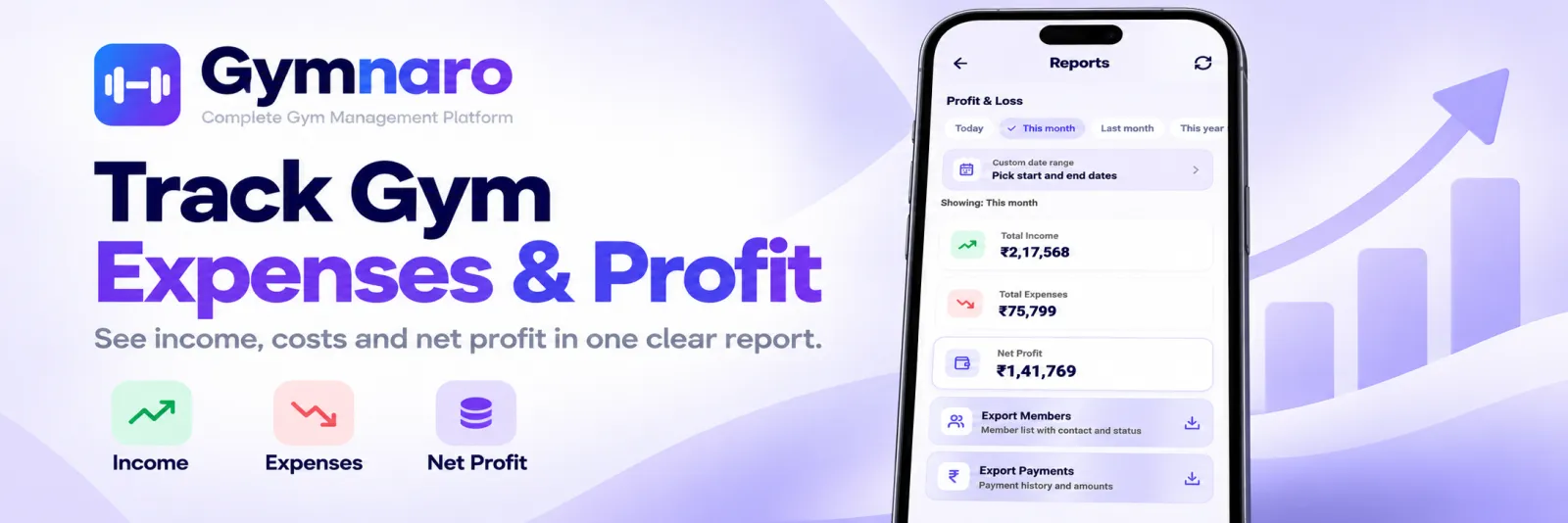
Looking at a single day tells you little. Look at a month, a quarter or a year: payments received, expenses paid, and what is left. A profit and loss view for a date range of your choice answers that directly.
Watch for the big categories
A handful of categories usually make up most of the cost. Know which ones, and check them first when profit looks lower than expected. A small change in a large category matters far more than a large change in a small one.
Keep your records exportable
You may need your numbers elsewhere, for an accountant, a lender or your own spreadsheet. Records that can be exported save an afternoon of retyping.
Fixed and variable expenses
Understanding which costs stay the same and which move with activity helps you plan.
- Fixed expenses are due whether the gym is busy or quiet: rent, salaries, loan payments.
- Variable expenses move with how much you use or sell: electricity, supplies, marketing, repairs.
When revenue dips, fixed costs are the ones that hurt, because they do not shrink. Know their total before you plan anything.
A worked example, with illustrative numbers
Suppose in a month you receive payments of 200,000. Your expenses are rent 60,000, salaries 80,000, electricity 15,000, equipment and repairs 10,000, and marketing and other costs 5,000, which totals 170,000. Your profit for the month is 200,000 minus 170,000, which is 30,000. These numbers are an illustration only. The point is that you can only see the 30,000 if both sides of the sum are recorded in the same place.
What to do when profit is lower than expected
- Open the expense categories and find the one that grew the most.
- Check whether any payments are still pending, since income may simply be late.
- Look at memberships that expired and were not renewed, since lost renewals reduce next month's income.
- Change one thing, and check the same numbers next month.
Keep gym and personal money apart
If personal spending goes through the gym's records, profit becomes meaningless. Decide what counts as a gym expense and stick to it, and pay yourself in a way that you can see as a line of its own.
A simple monthly routine
- Make sure every expense for the month is recorded in a category.
- Check that all payments received are recorded.
- Open the profit and loss for the month and note the result.
- Look at the biggest expense category and ask whether it can be reduced.
Common mistakes
- Recording only big expenses. Small ones add up and distort the picture.
- Too many categories. A dozen categories are hard to keep consistent.
- Looking only at revenue. A busy month can still be a loss if costs rose.
- Reviewing once a year. By then it is too late to change anything.
Questions owners ask
How often should I review profit and loss?
Monthly is a good rhythm, with a longer look each quarter to spot trends.
Which expenses matter most?
Usually rent and salaries. Know their share of your income, and compare the same month year over year.
Should I count pending payments as income?
Count only payments you have received. Track pending amounts separately so you can see what is still to collect.
How this works in Gymnaro
- Record expenses by category.
- See a profit and loss report for any date range, using your payments and expenses.
- Export members and payments to CSV.
Payments recorded at the desk flow into the report automatically. See how to track gym payments and the full feature list.
← All posts · Guides · Pricing