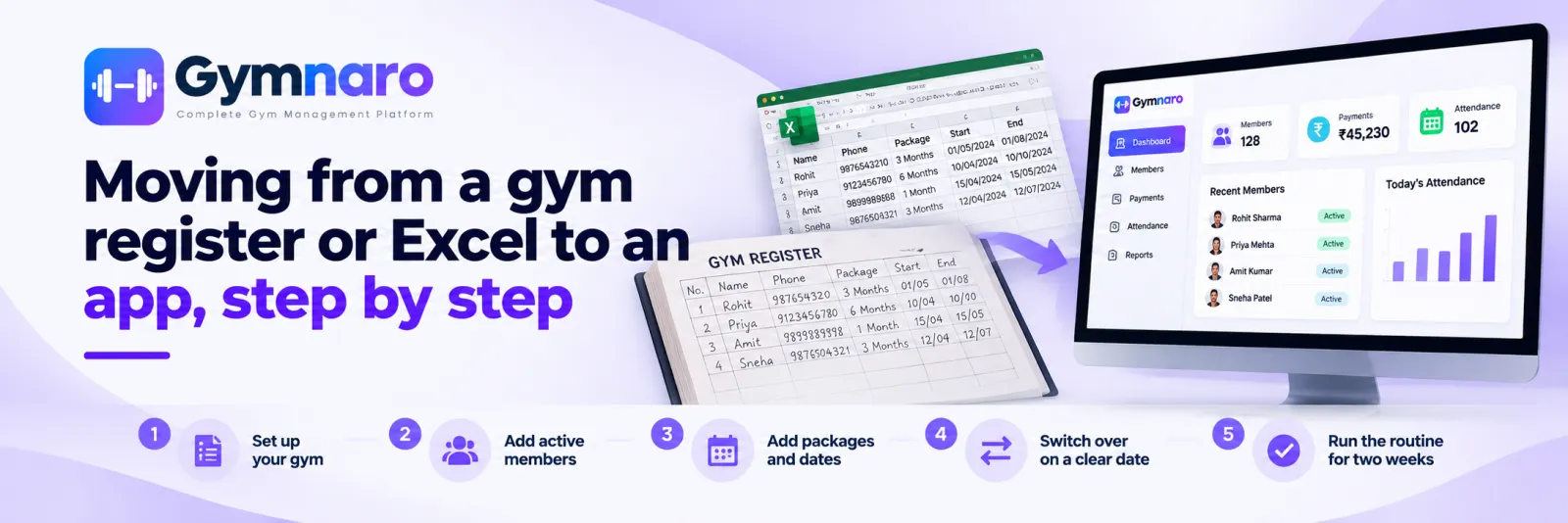
Most owners who think about moving to an app worry about the same thing: a register that holds years of members, and the fear of losing track while they switch. A short, ordered plan removes most of that risk.
First, decide it is worth it
A register or a sheet can be the right tool for a small gym. Move when the routine starts to strain: you spend time working out who is due, payments and memberships disagree, more than one person updates the records, or you have a second branch. The comparison of a register, Excel and Gymnaro sets out when each makes sense.
Step 0: Clean up before you move
- Mark members who have clearly left, and leave them out of the first load.
- Check phone numbers, since the phone is how members are found and signed in.
- Write down the end date of every active membership. If a date is missing, ask the member.
Step 1: Create your gym and packages
Create the packages you sell, with the duration and price. Use the same names you use at the desk today so nobody has to relearn them.
Step 2: Add active members only
Add the members whose memberships are active now. Each needs a name and phone number at minimum. Add photo, address and date of birth when you have them. Do not spend a week loading lapsed members; they can be added later if they return.
Step 3: Enter each member's package and dates
Assign the package with the real start and end date. This is the most important step, because the end date is what drives the list of expiring memberships.
Step 4: Switch over on a clear date
Pick a day, such as the first of the month, after which all new payments and attendance go into the app and nothing new is written in the register. Keep the register on the shelf for history and for the rare disagreement, but stop updating it.
Step 5: Run the routine for two weeks
- Open the dashboard each morning and look at memberships expiring soon.
- Record each payment and open the receipt.
- Mark attendance daily.
- Compare the app's payment total with your cash and bank at the end of the week.
What to do with old history
You do not need to retype years of past payments. Keep the register or sheet for what happened before the switch date. If you need a particular member's old record, look it up there. From the switch date, the app is the record.
A one-week migration timetable
- Day 1: clean up the register and write down every active end date.
- Day 2: create the gym and packages in the app.
- Days 3 and 4: add active members and assign packages with dates.
- Day 5: check the expiring list against the register and fix any difference.
- Day 6: brief the front desk and agree the switch date.
- Day 7: switch. New payments and attendance go in the app only.
Questions owners ask
What about members who have paid part of their fee?
Enter the payment you have received and mark the status so the balance is visible. Do not record it as fully paid.
What if a member's end date is missing from the register?
Ask the member, or use the date of their last payment and their package to work it out, and note that you estimated it.
Do I need to enter old payments?
No. Start recording from the switch date and keep the old register for earlier history.
Common mistakes
- Running both for months. Two records always drift apart.
- Loading every old member. It delays the switch and adds nothing.
- Skipping end dates. Without them you lose the main benefit.
- Not telling the front desk. Agree the switch date and the routine with everyone who records anything.
Start with the three-step setup or download the app. Gymnaro has a free plan.
← All posts · Guides · Pricing